YouTube video editing service: what it costs, and what an AI agent can do on your computer
A YouTube video editing service costs $30 to $150 for a talking head, or $295 to $3,400 a month on subscription. For talking footage there is another way: an AI agent on your computer that cuts on the words, syncs webcam and screen, hides private data and levels the voice, with free tools. Here are the prices, and a real case: 9 minutes of footage turned into a 3:44 video.
What does a YouTube video editing service cost?
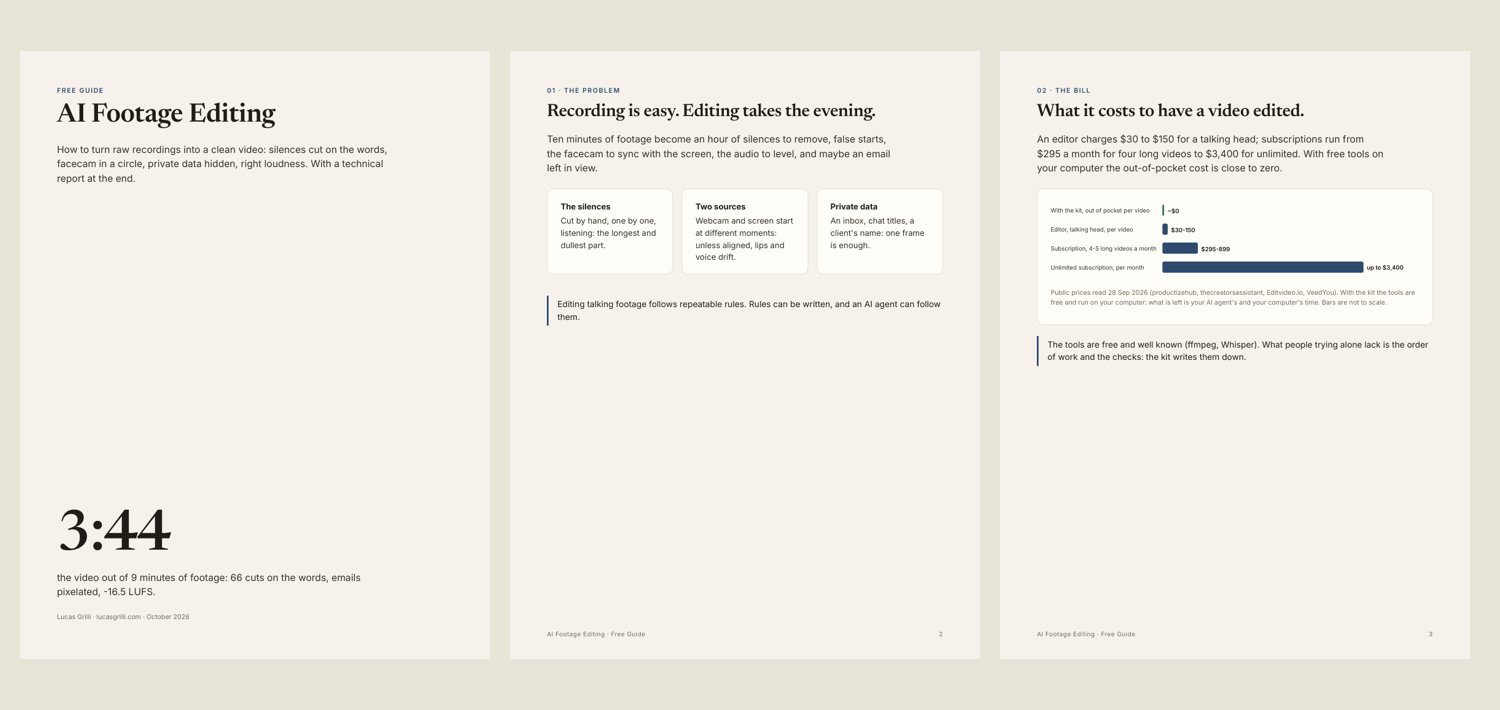
According to public price lists read on 28 September (productizehub, thecreatorsassistant): a talking-head edit costs $30 to $150 per video; subscriptions start at $295 a month for four long videos (Editvideo.io), $899 for five (VeedYou), up to $3,400 a month for unlimited.
What it costs to have a video edited
What an AI agent can do on your computer
Most of a talking-head edit follows rules: remove silences and false starts, align two sources, put the facecam in a circle, hide what should not be seen, level the voice. Rules can be written, and an AI agent can run them with free tools: faster-whisper for the words and ffmpeg for the edit.
The key choice is cutting on words, not on noise. Outdoors or with a fan on, background noise never drops below a threshold; words are always recognised. The agent keeps islands of speech with a breath before and after, then reads the list and removes false starts. Every line of the cut list carries the words spoken, so a sentence cut in half shows at once.
A real case: 9 minutes, 66 cuts, 3:44
A YouTube video recorded with webcam and screen separately. The screen started 0.517 seconds later (15 frames), measured by correlating the webcam with its preview inside the screen recording: a clear peak, 0.889 against 0.065 for the runner-up. The webcam then went into a circle at the bottom left. 66 cuts on the words. The accounts' emails and the AI assistant's chat list were pixelated, each zone timed to the frame. Result: 1920x1080, 3:44, -16.5 LUFS, peak -1.6 dB, no black frames.
| Step | Free tool | In the real case |
|---|---|---|
| words | faster-whisper | transcription |
| cuts | list from words | 66 cuts over 9 minutes |
| sync | correlation | 15 frames |
| privacy | pixelated zones | emails and chats |
| loudness | ffmpeg loudnorm | -16.5 LUFS |
Private data, timed to the frame
Before the edit, the screen recording is scrolled through. In the real case it showed the accounts' emails in the File Explorer bar and the AI assistant's chat list: pixelated zones, each with the frames in which it appears, measured to the frame rather than by eye.
Loudness and the delivery report
Last comes loudness: -16 LUFS with a -1.5 dB peak works for YouTube, social media and podcasts. The video is delivered with a technical report: resolution, duration, measured loudness, black frames.
When to hire an editor anyway
For creative edits: cutting to music, colour grading, storytelling choices, motion graphics. The rules-based part (cuts, sync, privacy, loudness) is where an agent saves the hours; the creative part stays a craft.
Frequently asked questions
- How much does a YouTube video editing service cost?
- $30 to $150 per talking-head video; subscriptions from $295 a month for four long videos up to $3,400 a month for unlimited, according to public price lists read on 28 September 2026.
- Can AI edit my YouTube videos?
- For talking footage, yes: an AI agent can transcribe, cut on the words, sync webcam and screen, hide private data and level loudness with free tools on your computer. Creative edits are another craft.
- How long does it take?
- Transcription a few minutes; the render depends on the raw footage up to the last cut: in tests from 1 to 2.3 times that length (2.3 with 60 fps video). In the real case a 4:11 part came out in 5:45.
- Is my footage uploaded anywhere?
- No: with this method everything runs on your computer.
- Does the AI also remove false starts?
- It proposes a cut for each island of speech, with the words spoken; false starts are removed by reading that list. In the test, the proposed cuts fell within 3 to 6 frames of the ones chosen by hand.
- How do I hide emails and names in a video?
- With pixelated zones on the screen recording, each with its position, size and the frames in which it appears.
Where to start
The free guide, the kit for your AI agent and the service are on the AI Footage Editing page.
And a real question: how long does it take you to edit a video you recorded in ten minutes? Tell me.
Videos, automations and a second brain for people who work with Claude, built in public on lucasgrilli.com and GitHub.